
Pressure & Altitude
Interfacing BMP280 Pressure & Altitude with ESP32
What is the BMP280?
The BMP280 is a low-power digital sensor that reads barometric pressure and temperature over I2C or SPI. Pressure readings can be converted to altitude, making it popular for weather stations and altitude-tracking drones. As the successor to the BMP180, it offers lower power consumption, faster measurement conversion, and the flexibility of either I2C or SPI wiring, while remaining one of the cheapest and most widely supported pressure sensors in the hobbyist ecosystem.
Specifications
- Sensor type
- Bosch BMP280 barometric pressure and temperature sensor
- Operating voltage
- 1.71V–3.6V DC (breakout boards regulate from 3.3-5V input)
- Operating current
- ~2.7 µA at 1 sample/second in standard operating mode
- Pressure range
- 300 hPa to 1100 hPa
- Pressure resolution
- 0.16 Pa (relative resolution equivalent to roughly ~1cm of altitude change)
- Temperature accuracy
- ±1°C typical
- Interface
- I2C (up to 3.4MHz) or SPI (up to 10MHz), selectable via wiring/solder jumper on most breakout boards
- I2C address
- 0x76 or 0x77, depending on the SDO pin state
Pinout
| Pin | Name | Description |
|---|---|---|
| 1 | VIN / VCC | Power, 3.3–5V DC depending on breakout regulator |
| 2 | GND | Ground |
| 3 | SCL / SCK | I2C clock or SPI clock, depending on interface mode |
| 4 | SDA / SDI | I2C data or SPI data-in, depending on interface mode |
| 5 | CSB | Chip select — ties HIGH for I2C mode on most breakouts, or used as SPI chip select when in SPI mode |
| 6 | SDO | Sets the I2C address (0x76 when LOW, 0x77 when HIGH); doubles as SPI data-out in SPI mode |
Swipe sideways to see every column →
Most breakout boards default to I2C mode with CSB tied HIGH; the SDO pin's state determines which of the two possible I2C addresses (0x76 or 0x77) the sensor uses, which is handy when running two BMP280-family sensors on the same bus. As with any pressure-based altitude sensor, calibrate against a known local sea-level pressure reading for meaningful absolute altitude results.
Variants
- BMP280 breakout
- ~$1-3
- BME280
- ~$2-5
- MS5611
- ~$3-6
The BMP280 is an excellent low-cost default for most weather and altitude projects. If humidity data would also be useful, the BME280 is usually a similarly-priced drop-in upgrade; if the project needs the very best altitude precision (like a flight controller), the MS5611 offers finer resolution at a modest cost increase.
Setting Up BMP280 with ESP32
Library
Adafruit BMP280 Library by Adafruit
Arduino IDE → Tools → Manage Libraries → search "Adafruit BMP280"
Wiring
| Component pin | ESP32 pin | Note |
|---|---|---|
| VIN / VCC | 3.3V | |
| GND | GND | |
| SCL / SCK | GPIO22 | |
| SDA / SDI | GPIO21 | |
| CSB | 3.3V | Tie HIGH to select I2C mode |
| SDO | GND or 3.3V | Sets I2C address: LOW = 0x76, HIGH = 0x77 -- match this to the address used in code |
Swipe sideways to see every column →
ESP32 default I2C pins are 21 (SDA) / 22 (SCL) but any GPIO pair works with Wire.begin(sda, scl). Match bmp.begin()'s address argument to how SDO is wired.
Related Components

A3144
Digital hall-effect switch for RPM counting and proximity.
BME280
Combined pressure, humidity, and temperature sensing — the go-to all-in-one environmental sensor.
BMP180
Barometric pressure and temperature sensor with excellent library support — a weather station staple.
MS5611
High-precision altimeter sensor used in drones and GPS units.
Related Guides & Projects
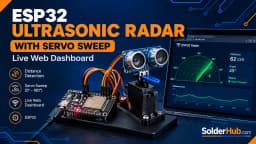
ESP32 Ultrasonic Radar with Servo Sweep and Live Web Dashboard
Build a sweeping ultrasonic radar with an ESP32, SG90 servo, and HC-SR04 sensor, and watch live blips on an HTML5 canvas dashboard served straight from the chip — no app, no cloud.
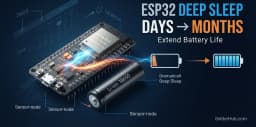
ESP32 Deep Sleep Guide: Extend Battery Life from Days to Months
ESP32 draws 240mA at full power — enough to drain an 18650 battery in 18 hours. With deep sleep, that same battery lasts 4 months. This guide covers all five wakeup sources, RTC memory, and real code you can drop into your next project.
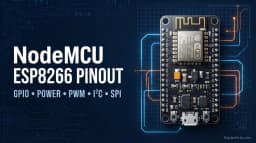
NodeMCU ESP8266 complete Pinout Guide: GPIO Numbers, D-Pins & Boot Pins Explained
Never confuse D1 with GPIO5 again — plus the D3/D4/D8 boot-mode pins that quietly stop your board from starting.
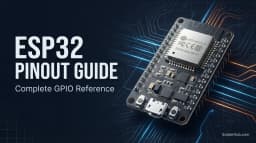
ESP32 Pinout Guide: Every GPIO, ADC, PWM, and Restricted Pin Explained
Complete ESP32 pinout guide covering all GPIOs, input-only pins, strapping pins, flash-reserved pins, dual ADC channels, PWM via LEDC, I2C, SPI, UART, and deep sleep wake pins.