
LED / Strip
Controlling WS2812B Strip LED / Strip with Arduino Uno
What is the WS2812B Strip?
A single-wire addressable RGB LED strip — each pixel individually controllable — used in everything from ambient lighting to LED matrix art.
Specifications
| LED type | WS2812B — driver chip integrated into each individual LED |
| Operating voltage | 5 V DC |
| Interface | Single-wire, timing-critical protocol (~800kHz NRZ) — not I2C/SPI |
| Current draw | ~60 mA per LED at full white — a 1m/60-LED strip can draw ~3.6A at full brightness |
| Cascading | DOUT of one strip feeds DIN of the next for longer runs |
WS2812B Strip Pinout
| Pin | Name | Description |
|---|---|---|
| 1 | 5V | Power — use an external supply sized for the full strip length, not the MCU board's 5V pin |
| 2 | GND | Ground — must be common with the MCU's ground |
| 3 | DIN | Data in — connect to a digital GPIO on the first segment of the strip |
| 4 | DOUT | Data out — feeds the next strip's DIN when chaining multiple segments (present on some strip variants, not all) |
A 330Ω resistor in series on the DIN line and a large (~1000µF) capacitor across 5V/GND at the strip's input are cheap insurance against corrupted first pixels and power-on glitches.
Setting Up WS2812B Strip with Arduino Uno
Library
FastLED by Daniel Garcia / Community
Arduino IDE → Tools → Manage Libraries → search "FastLED"
Wiring
| Component pin | Arduino Uno pin | Note |
|---|---|---|
| VCC | 5V | For more than ~8 LEDs, power the strip from a separate 5V supply, not the Uno's onboard regulator |
| GND | GND | Common ground with the Uno is required even when using an external supply |
| DIN | Pin 6 | A ~330-470Ω resistor in series on this line reduces reflections on longer strips |
Example code
Each LED at full white brightness can draw ~60mA — a 30-LED strip at full brightness can exceed 1.5A, far more than the Uno can supply. Power longer strips from a dedicated 5V supply and only use the Uno for the data line.
Related Guides & Projects
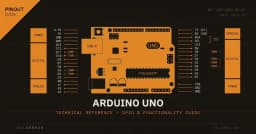
Arduino Uno R3 Pinout: Every Pin Explained (Digital, Analog, PWM, Power)
Complete Arduino Uno R3 pinout reference: all 14 digital pins, 6 analog inputs, PWM, UART, SPI, I2C, AREF, and power rails explained with wiring tips and common mistakes.
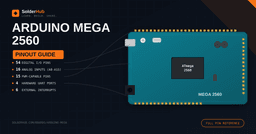
Ultimate Arduino Mega 2560 Pinout Guide: Complete Power & I/O Reference
Master the Arduino Mega 2560 pinout. Detailed reference for all 54 digital pins, 16 analog inputs, PWM, UARTs, SPI, I2C, interrupts, and power. Includes a printable table and practical wiring tips.
Interfacing HC-SR04 Ultrasonic Sensor with Arduino
Measure distance accurately using ultrasonic sound waves and an Arduino Uno — no complex math, no expensive hardware.

HC‑SR04 Ultrasound Distance Measurement with Arduino – Parking Alert (LCD & Buzzer)
Learn HC‑SR04 ultrasound distance measurement with Arduino Uno. Build a parking alert system with 16x2 LCD and buzzer – shows distance and beeps faster as you approach.