
INTRODUCTION
Most ESP32 wireless projects rely on a Wi-Fi router — which adds setup complexity, network dependency, and latency. ESP-NOW removes all of that. It is a peer-to-peer communication protocol built directly into the ESP32 chip that lets two or more boards talk to each other using only their MAC addresses, with no router, no cloud, and no internet required.
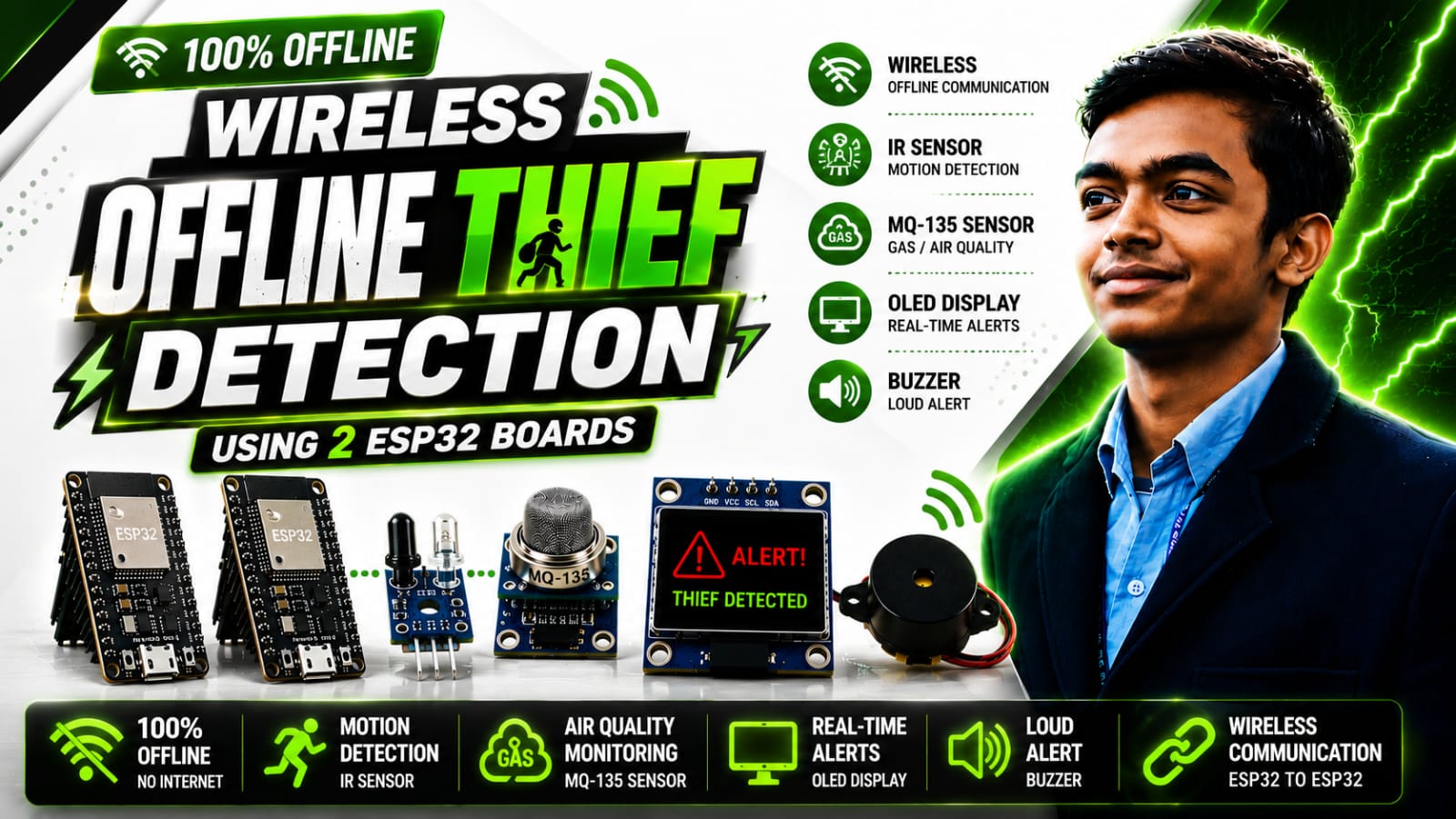
This project walks you through ESP-NOW from the ground up. You will set up a Sender ESP32 that reads two sensors and transmits a data packet every 300ms, and a Receiver ESP32 that processes incoming packets and drives an OLED display and speaker — all communicating over a direct wireless link. The sensors and alarm are just the demo. Understanding how ESP-NOW works is the real goal.
What is ESP-NOW?
ESP-NOW is a connectionless wireless protocol developed by Espressif. Unlike standard Wi-Fi, which requires an access point to relay packets, ESP-NOW devices communicate directly with each other at the hardware level using 2.4GHz radio. There is no handshake, no TCP/IP stack, and no network overhead.
Key technical characteristics:
- Protocol layer: Operates below the Wi-Fi stack, directly on the 802.11 PHY layer
- Addressing: Devices are identified purely by their 6-byte hardware MAC address
- Payload size: Up to 250 bytes per packet
- Latency: Sub-millisecond in practice — typically under 1ms between boards
- Range: Up to 200 metres line-of-sight in open environments
- Encryption: Optional CCMP encryption per peer
- Topology: One-to-one, one-to-many (broadcast), or many-to-one — up to 20 paired peers
- Power: Extremely low current draw — compatible with deep-sleep and battery operation
This makes ESP-NOW ideal for sensor networks, wireless control systems, real-time telemetry, and any application where router dependency is a problem.
How ESP-NOW Communication Works — The Core Concepts
Before writing a single line of code, understand the four things ESP-NOW requires:
1. Wi-Fi mode without association
Both boards must call WiFi.mode(WIFI_STA) to activate the radio hardware, but they never connect to any network. The Wi-Fi hardware is simply used as the radio layer.
2. ESP-NOW initialisation
esp_now_init() starts the protocol engine. This must succeed before registering peers or callbacks.
3. Peer registration (sender side)
The sender must register the receiver as a peer using esp_now_add_peer(). This requires the receiver's MAC address, a channel number, and an encryption flag. Both boards must be on the same channel.
4. Callbacks
- Sender registers
esp_now_register_send_cb()— fires after each transmission with a success/fail status - Receiver registers
esp_now_register_recv_cb()— fires every time a packet arrives, passing the raw bytes and sender MAC
The data itself is a raw byte array. The cleanest approach is to define a C struct on both boards with identical field layout, then cast the pointer when sending and use memcpy when receiving.
Components
6 itemsThe sensors and display exist purely to give the ESP-NOW link something meaningful to transmit and act on. You can replace them with any sensors you have — the communication code stays identical.
Circuit Connections
Sender Node
| Device | Device Pin | ESP32 GPIO |
|---|---|---|
| IR Obstacle Sensor | OUT | GPIO 32 |
| MQ135 Gas Sensor | AO | GPIO 35 |
Receiver Node
| Device | Device Pin | ESP32 GPIO |
|---|---|---|
| OLED SSD1306 | SDA | GPIO 19 |
| OLED SSD1306 | SCL | GPIO 21 |
| Speaker / Buzzer | Signal | GPIO 18 |
GPIO 35 on the ESP32 DevKit V1 is input-only — ideal for analog reads. The I2C bus on the receiver is initialised manually with
Wire.begin(19, 21)so you are not locked to the default pins.
Step 1 — Read the Receiver's MAC Address
Every ESP-NOW link is built on MAC addresses. The sender needs the receiver's exact 6-byte hardware address to register it as a peer. Flash this sketch to your receiver board and open Serial Monitor at 115200 baud.
You will see output like: A8:42:E3:BA:C2:D8
Copy this. You will paste it into the sender sketch formatted as hex bytes: {0xA8, 0x42, 0xE3, 0xBA, 0xC2, 0xD8}.
Step 2 — Define the Shared Data Structure
The most important ESP-NOW concept is that both boards must use the exact same struct layout. The sender packs data into it; the receiver reads data out of it. If the struct differs between boards even by one field, your values will be garbage.
typedef struct {
  bool irDetected;   // 1 byte — digital sensor state
  int  mq135Value;   // 4 bytes — analog sensor reading (0–4095)
} Message;
When sending, pass a pointer to this struct cast as uint8_t *. When receiving, memcpy the incoming bytes back into an instance of the same struct. This is clean, efficient, and type-safe.
Step 3 — Sender Code
This sketch initialises ESP-NOW, registers the receiver as a peer, reads both sensors every 300ms, packs the values into the struct, and calls esp_now_send().
Step 4 — Receiver Code
The receiver registers an onReceive callback and does nothing else. Every packet arrival fires the callback automatically — loop() stays completely empty. This event-driven pattern is one of the cleanest aspects of ESP-NOW programming.
Understanding the Full Data Flow
Once both boards are powered, this is what happens on every cycle:
- Sender reads sensors — IR pin and MQ135 analog value are read into the
Messagestruct esp_now_send()is called — the struct is passed as a raw byte pointer with its size- Packet transmits over 2.4GHz — directly addressed to the receiver's MAC, no router involved
onDataSentfires on sender — confirms whether the packet was acknowledged at the link layeronReceivefires on receiver — raw bytes arrive and are immediately unpacked withmemcpy- Receiver acts on the data — OLED updates, speaker triggers, or any other logic runs entirely based on the received packet values, not any local sensor
The receiver never polls. It never loops. It simply reacts — which is why ESP-NOW works so well for real-time applications.
Common ESP-NOW Mistakes to Avoid
Wrong channel — Sender and receiver must be on the same Wi-Fi channel. If your receiver connects to a router elsewhere, it will change channels and break the ESP-NOW link. Locking peerInfo.channel = 1 on both sides prevents this.
Struct mismatch — If you add or reorder fields in the struct on one board without updating the other, memcpy will misalign every value. Always keep both files in sync.
Calling esp_now_send() before esp_now_add_peer() — The peer must be registered first or the send will fail silently.
Not checking esp_now_init() return value — If initialisation fails and you proceed anyway, all subsequent calls will also fail with confusing errors.
Where to Take This Next
The sender/receiver pattern you have built here scales directly to more complex systems:
- Broadcast to all nodes — replace
receiverMACwith{0xFF, 0xFF, 0xFF, 0xFF, 0xFF, 0xFF}to send to every ESP-NOW device in range - Many-to-one data aggregation — multiple sensor nodes all send to one central receiver; identify each by the
macparameter inonReceive - Bidirectional communication — both boards register each other as peers and implement both callbacks
- Deep sleep sensor nodes — sender wakes from deep sleep, transmits one packet in under 50ms, and sleeps again; ideal for battery-powered remote sensors
- Encrypted link — set
peerInfo.encrypt = trueand provide a 16-byte Local Master Key for CCMP-encrypted payloads
Libraries Required
| Library | Source |
|---|---|
Adafruit SSD1306 | Arduino Library Manager |
Adafruit GFX Library | Arduino Library Manager |
WiFi | Built into ESP32 Arduino core |
esp_now | Built into ESP32 Arduino core |
Conclusion
ESP-NOW is one of the most powerful and most overlooked features of the ESP32. It gives you genuine peer-to-peer wireless communication with sub-millisecond latency, 200-metre range, and zero infrastructure — no router, no cloud service, no subscription required.
The pattern is simple: define a shared struct, register a peer, call esp_now_send() on the sender, handle onReceive on the receiver. Everything else — what sensors you read, what you display, what actions you trigger — is your application logic sitting on top of that communication layer.
Once you are comfortable with this two-board setup, you have everything you need to build multi-node sensor networks, wireless control systems, and battery-powered edge devices that are faster and more reliable than anything routing through a cloud server.
Built with ESP32, ESP-NOW, and C++. Project by Manish Pal — B.Tech Electronics & Communication Engineering.


